development studio

Custom CRM systems, corporate portals and automation built around your process.

A development team from Saint Petersburg. Modern tooling lets us work faster and cheaper than teams that do things the way they always have. We test, document and think about security from the first commit.

12
projects in the portfolio
9
industries
1 month
to the first pilot
Manifesto

We count hours. We count money.

Handing over a working system is only half the job. The other half is cutting your operating costs. We judge every project by one simple question: how many hours of routine work will it take off the team each month. An hour of a manager's or engineer's time in a large company costs 1,500 to 5,000 roubles. Ten hours of routine a week per employee add up to half a million roubles a year. Good automation pays for itself in 3–6 months and keeps saving after that.

We are a small development team that grew up on modern tools. We use Claude, Cursor, v0, Manus, Genspark and our own pipelines to build products for clients and in our own development work. That is our main advantage: one of our developers with a well-tuned setup gets through in a week what takes a month in a traditional studio.

For us, AI is first of all a tool for our own productivity. Second, it is something we build into a product when the product actually needs it. It is never a marketing wrapper to sell you something.

One thing we never cut corners on: code review before handover and a real conversation with the client at every stage. This is exactly where "fast and cheap" usually turns into "rewrite everything in six months".

For new clients

We show first.
Then we agree terms.

For new clients we build a working prototype in 5–9 days, with no prepayment and no contract. You see how the system will work with your process, and only then decide.

If you decide not to continue after the prototype, you keep it.

1
30-minute call

We work out what you need and whether it can be done

2
Prototype in 5–9 days

A working version for your task. Not a mockup or a slide deck

3
You decide

We continue together, or you keep the prototype with no obligations

Discuss your task →
Main product

Corporate portal and CRM. Try it yourself.

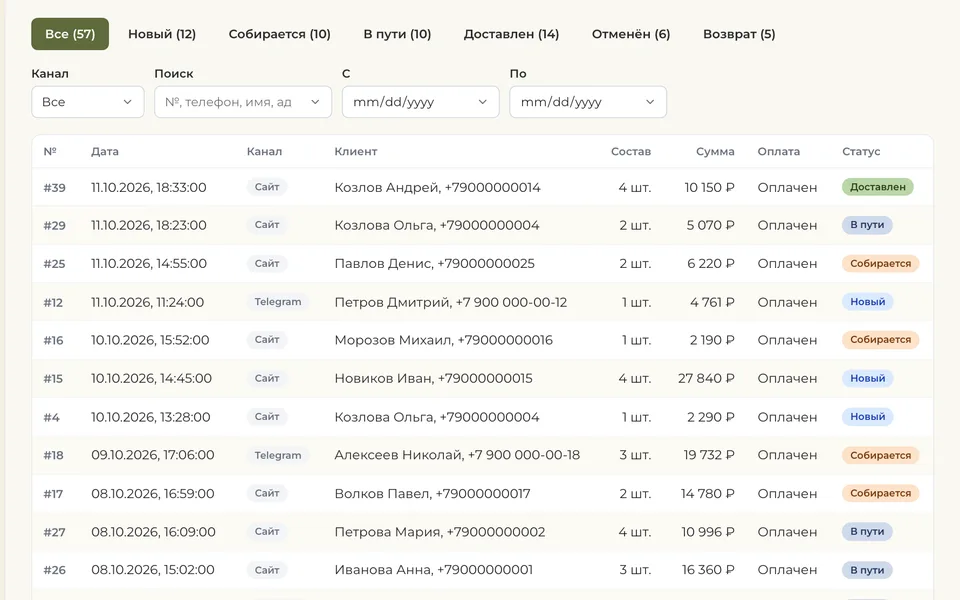
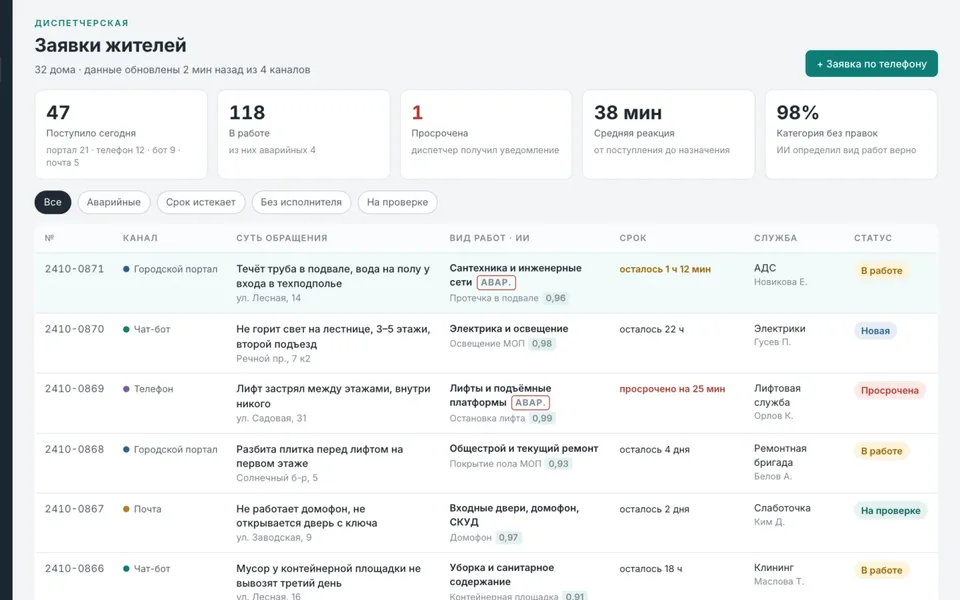
A demo of the portal running at PKF SNARK, a company that designs and manufactures steel structures and employs 400+ people. The screens are real, the data is fictional. Click any section.
Full screen ↗
Corporate portal · demo

On a phone we show the shop-floor app. The portal itself is easier to explore on a computer.

Open the full demo ↗
What's inside

Only the modules you actually need.

Companies usually pick one of two options: Bitrix24 with a licence for every employee and someone else's interface, or six months of development from scratch. We assemble the portal from proven modules and write what no boxed product has: your requests, your approvals, your order tracking.

Everything that already works is open in the demo. We adapt any section to your process and add new modules as separate releases without stopping the portal. The AI assistant answers only from your documents and always links to the source.

A pilot on your data goes live within a month. There are no licences to pay, and it usually costs 2–3 times less than customising Bitrix.

  • Employees and org chart from 1C or Excel
  • Versioned documents and an assistant that answers from them
  • Requests: leave, certificates, passes, PPE, IT
  • Tasks and meeting minutes
  • Orders: from quote to shipment
  • Meeting rooms and leave calendar
  • Chat and notifications in Telegram and email
  • Roles, permissions and audit log (152-FZ)
  • Shop-floor app without an app store
Integrates with:
PostgreSQLMySQLSQL ServerOracleMongoDBClickHouse 1CSAPMoySkladKontur Bitrix24AmoCRM Google WorkspaceYandex 360Yandex Disk TelegramWhatsApp BusinessVK YooKassaT-BankSBP DiadocSBIS Yandex Maps2GIS and any service with an open API
How the portal works and how we rolled it out →
Major projects

Systems that are running or being built now.

Each has its own page with screens and details. Apart from PKF SNARK, we do not name clients without their consent. The data on the screens is fictional.
Team training

We teach your team to work with AI agents.

A system only works if people use it. So alongside the rollout we train your staff: everyone gets their own course on a closed platform, lessons for their tasks and hands-on practice on a real project.

Four courses are running now, from "zero to your first agent" to browser autotests and running a project through a control repository. The mentor sees who has read what and where they got stuck.

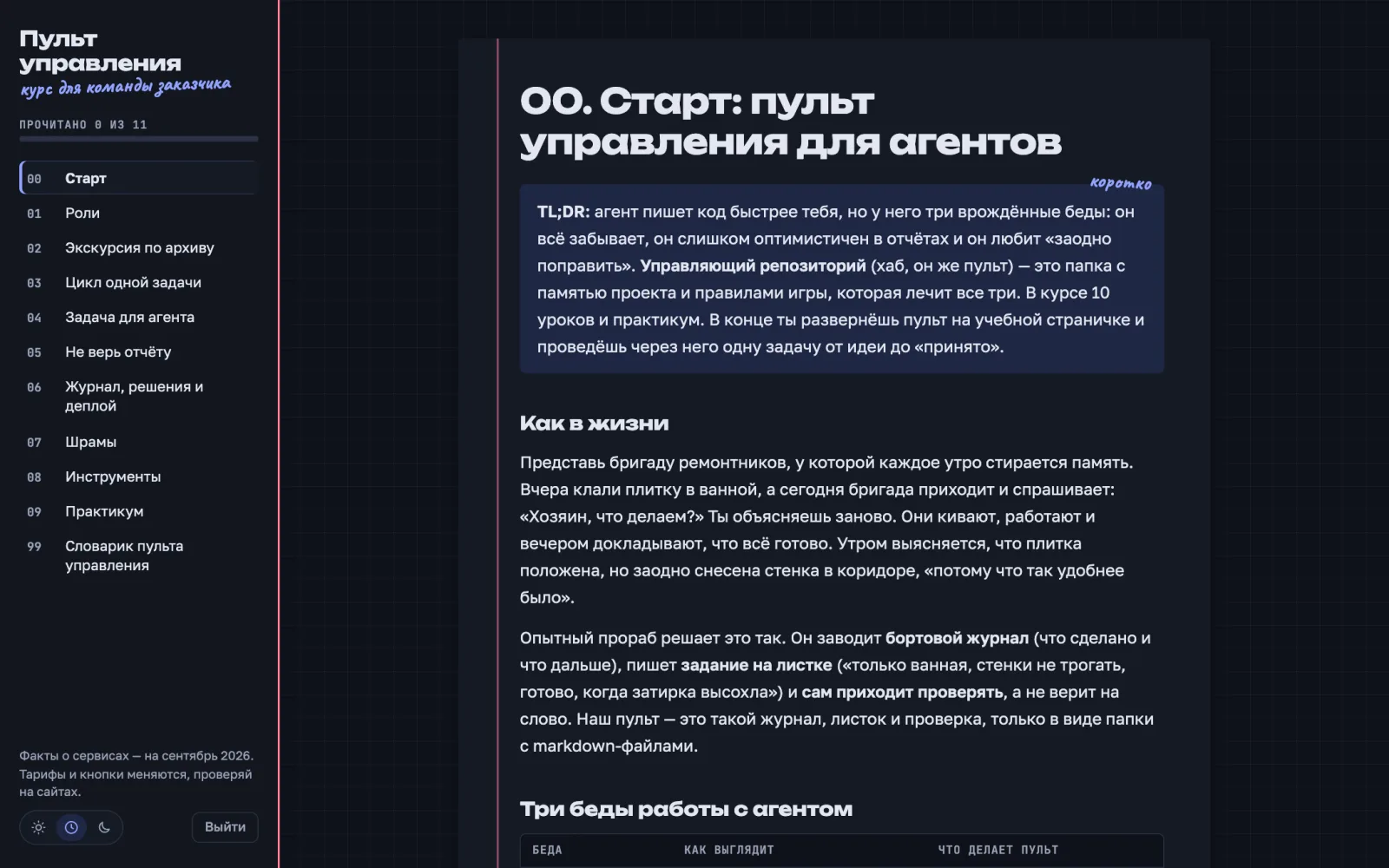
A lesson from the Control Panel course: working with AI agents through a control repository
Control Panel course: why you can't take an agent's word for it, and what to do about it
More cases

Bots, automation and services.

Each project spent anywhere from a month to a year in development with us, with all the war stories about database migrations, Telegram proxies and encodings in the Windows console. We go into the details of each case at a meeting.
Environmental · B2B2025–2026

Telegram bot for an environmental testing laboratory

Telegram assistant: a quote in five minutes instead of an hour

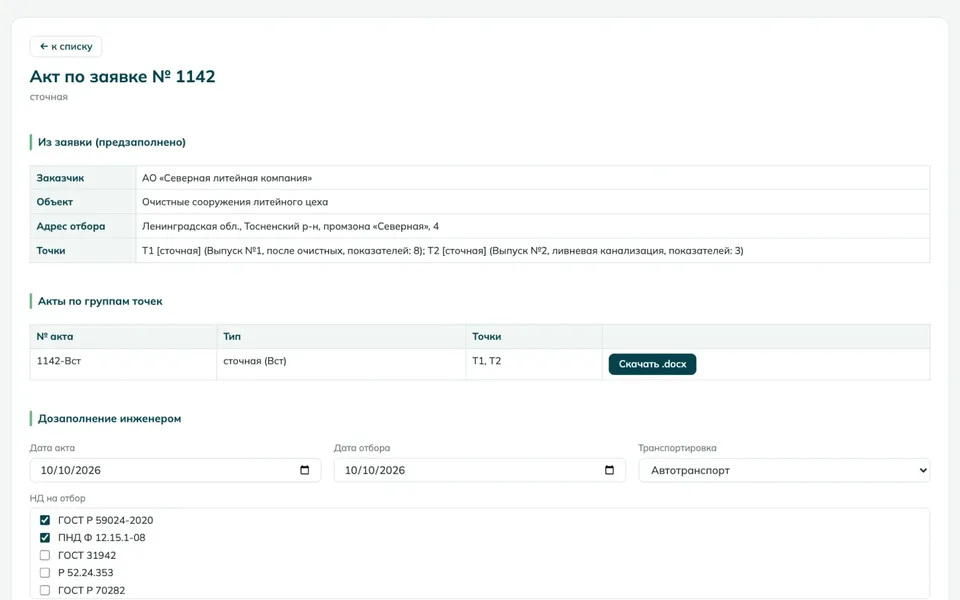
An environmental testing laboratory in Saint Petersburg. Before our bot, a manager spent about an hour putting together a commercial quote: working out exactly which tests were needed, copying them from the price list with the right prices, adding 3% for issuing the test reports, adding 5% VAT, writing the total out in words and formatting it in Word.

Now a client writes in Telegram "we need wastewater tested for petroleum products and heavy metals", and the bot picks the services from the catalogue (209 items in 8 categories). Then comes a 7-step quote form: tax ID with checksum validation, company details pulled automatically via DaData, KPP code, address, contact person, phone, sampling location. Press "Confirm" and you get a finished docx.

Inside, LangGraph orchestrates three agents: Supervisor routes requests, Intake asks clarifying questions, Proposal builds the quote. Everything runs on GigaChat 2, because for laboratories working with government clients this is critical. Protection: anti-flood, a regex-based jailbreak detector, service ID validation (so the model can't "invent" a test), and a fallback to MemoryStorage if Redis is unavailable. 77 tests.

Read the case →
Engineering · Surveying2025

Automation for a production and technical department

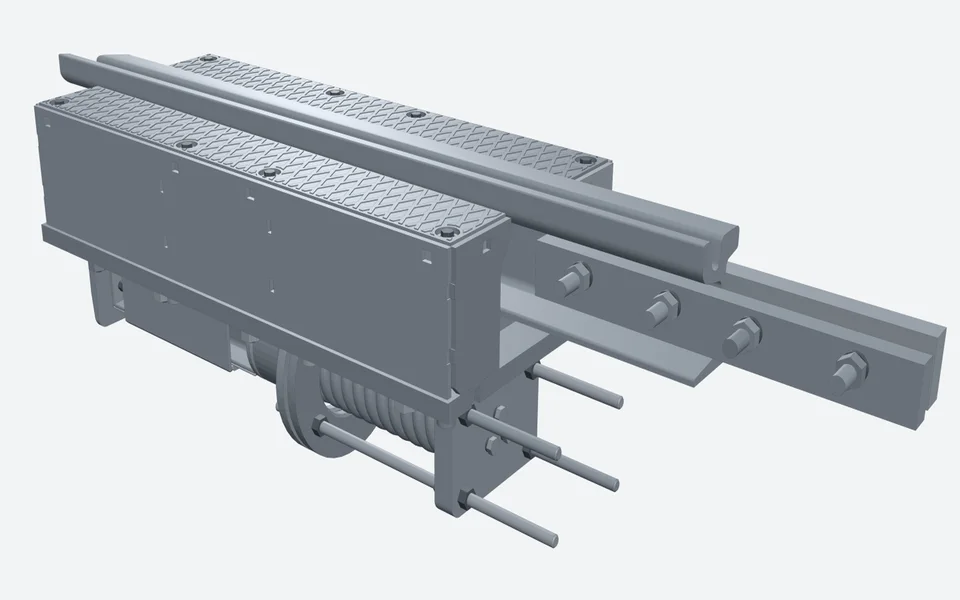
As-built documentation for overhead contact line poles

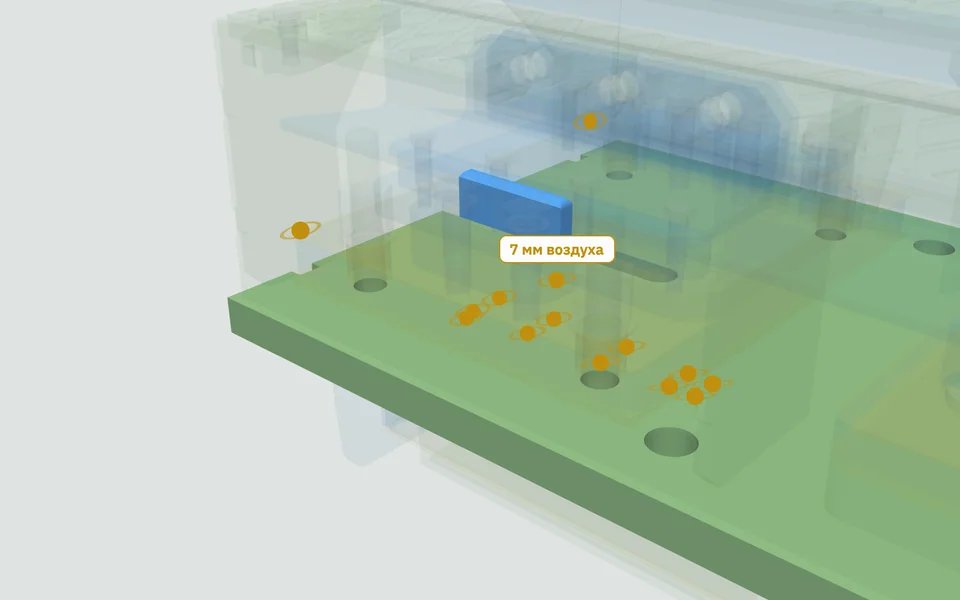
A very specialised engineering story. After overhead contact line poles are installed, a surveyor measures their position in plan and elevation, and each pole needs its own A3 as-built sheet with the deviation calculation, a small diagram and a comparison with the tolerance under GOST R 51872-2024. A section can have 200–300 poles. That used to be two weeks of work for an engineer.

We built a Streamlit app: upload the project PDF, the DXF plan (if there is one) and the field instrument's measurement files (TXT, DXF, XML), and you get a ZIP with a PDF sheet for every pole, a summary Excel table and, optionally, a DXF.

The hardest part turned out to be parsing pole tables from PDF. They are exported from CAD, and plain pdfplumber trips over them. We connected OpenRouter Gemini 2.5 Pro Vision: we render the page to an image and give it to the model with the prompt "extract the list of poles as a JSON array". It works where ordinary parsers give up.

Read the case →
Construction · Document management2025–2026

Company standards editor

Reworking drafts to match the company standard

A construction company. It has its own internal standard for technical documentation: set margins, fonts, section structure, table formatting. Drafts arrive from different departments in varying states of readiness: some have a structure, some don't, tables and images are scattered at random. A technical writer used to reformat them by hand, and it took several days per document.

We built a tool that turns a draft into a final document automatically. It extracts the content while keeping tables and images, maps existing sections to the ones the standard requires, rewrites paragraphs in a formal style without changing the meaning, and generates the final docx with the right font, margins and headers. At the end it checks the result against a checklist and produces a report. It currently works with one corporate standard; the architecture allows adding others.

Read the case →
Logistics · Compliance2026

GosLog Navigator

An assistant for connecting to the national GosLog system

Recently, all carriers under OKVED code 52.29 have been required to connect to GosLog, the national logistics system. Most sole proprietors and small companies have little idea where to start.

We built a navigator bot on aiogram. A five-step wizard: tax ID (we check via Ofdata that the company exists and has the right legal form) → company details filled in automatically → compliance check → a personal PDF checklist → filing instructions. After the wizard, users can still check counterparties by tax ID and get morning alerts at 9:00 Moscow time about changes in the register.

Read the case →
FinTech · Accounting2026

Expense report automation

Receipt photo → ready accounting entry

Large companies share the same pain with expense reports: an employee comes back from a business trip with a stack of receipts and types in the amount, date, seller's tax ID and cost category for each one by hand. An hour and a half to two hours per trip. Then the accountant checks it all again.

We built a platform where the employee just photographs the receipt, and the system extracts all the fields with OCR + LLM and assigns the cost categories. Backend in Python, frontend in TypeScript and React. We packaged it in Docker Compose so the company can deploy it on its own servers without headaches.

Read the case →
Corporate communications · Monitoring2025

Trend Radar

An industry digest without manual collection

A manager in any industry needs to know what is happening in the market: regulations change, competitors launch something, tariffs go up. In practice this means a morning run through 5–7 websites and Telegram channels, thirty to forty minutes a day. That's the best case. Usually it just doesn't get done.

We built a tool that collects material from chosen sources: industry media, regulators' feeds, public reports, specialist channels. It filters out duplicates and irrelevant items. Each item goes through AI, which writes a short analytical summary: what happened, what it means for the industry, what to prepare for. Delivered to Telegram or email, whichever suits the team.

It is used as a morning digest for top management, as raw material for the PR department and as a background monitor for the strategy team. It can be tuned to narrow topics: building codes for construction companies, tariffs and utilities for property managers, rates and the market for real estate agencies, industry regulators and counterparties for manufacturers.

Read the case →
Approach

Six principles we work by.

No checklists about agile, sprints and ceremonies. We wrote down what actually decides whether a project reaches production or stays a nice demo.
01

First we find out what hurts

We look at where the team loses time and where money leaks. Sometimes AI turns out to be unnecessary: it's enough to write a proper API and connect two systems. That's quicker and cheaper. We'll tell you honestly.

02

We break complex work into small pieces

If a process has many stages, we split it across separate agents with one job each. One collects data, the second writes, the third double-checks the first two. When something breaks, it's immediately clear which one is at fault.

03

We hand over a system that works

A nice demo on a developer's laptop is not a product. A product is when 50 employees open the system on Monday morning and nothing falls over. That's why backups, access control, audit logs and automated checks all happen before release, not after.

04

A clear estimate from day one

Before we start, we fix the scope, cost and stages. If a new task comes up along the way, we discuss it separately instead of spreading it across the estimate. No "that wasn't included" three days before handover.

05

152-FZ: we take it seriously

For projects with personal data or government clients we use GigaChat or Yandex models and keep the infrastructure in Russia, as Russian personal data law 152-FZ requires. For everything else we use Anthropic, OpenRouter or local models. Switching provider is usually one env setting. If needed, we deploy everything inside the client's network with no internet access, and we test restoring from backup before handover.

06

We go where the work already happens

Nobody moves to a new system just because it looks nice. So we build automation right into 1C, Bitrix24, Telegram, Google Workspace, Yandex Cloud, Supabase. Employees keep working where they always have, with much less routine.

Services

Six areas where we are strong.

Specific tasks we can take on end to end, from idea to production release and support. Each one is backed by project experience, not theory.
— 01

Corporate portals and CRM

We build a corporate portal, a CRM or both together from scratch. We take only the modules you really need: roles, approvals, document management, AI assistants where they make sense. It's quicker and cheaper than assembling boxed systems: you don't pay for features you don't use, adapt to someone else's UI or carry licence baggage.

CRM development →
— 02

Telegram Mini Apps and bots

Mini apps inside Telegram: catalogues, customer accounts, checkout. Consultant bots, assistants, N-step wizards. Launched in weeks rather than months.

— 03

Document workflow automation

Receipt recognition, PDF and DXF parsing, reworking drafts to the company standard, generating Word and PDF from templates. An hour of manual work becomes one button.

— 04

Integration with 1C and accounting systems

Two-way exchange with 1C (CommerceML, REST, webhooks, files), catalogue sync from Google Sheets, company details checks by tax ID via DaData and Ofdata.

— 05

AI assistants for your corporate knowledge base

The model answers from your regulations, standards, instructions and price lists, with a link to the exact clause of the document. No hallucinations about things that aren't there.

AI in business processes →
— 06

Payment services and customer accounts

Integration with YooKassa and SBP (Russia's faster payments system), customer accounts with transaction history, contracts, acts and refunds. Admin panels with metrics and charts.

What we don't do

Some things we won't take on on principle.

Terms of work

No surprises.

Private and corporate clients usually ask the same questions before starting: how the deal is formalised, what happens to the code after handover, who is responsible if something breaks. Here are the answers before we even talk.

  • i.
    Legal entity

    We currently work as a Russian sole proprietorship (IP Vasily Lastochkin). For large corporate contracts we are registering an LLC in 2026 so we can take part in procurement under Russian laws 44-FZ and 223-FZ. If this is critical for your company, we can start once it's registered.

  • ii.
    Contract and NDA

    We sign the contract before work begins. We sign an NDA at the client's request, including before the first call.

  • iii.
    Payment

    In stages, by bank transfer, against signed acts. If the client wishes, we split the work into stages: analysis, MVP, refinement, handover.

  • iv.
    Code and source files

    After handover everything stays with the client: the repository, the database schema, deployment instructions, environment variables. No ties to our infrastructure and no "exclusive platform rights".

  • v.
    Support

    After handover we arrange it as a separate agreement or bill by the hour. Minor fixes in the first month are free.

Who is behind the studio

A small team.
With its own style.

Legenda Studio is a team of developers and designers from Saint Petersburg. We came together around one idea: build custom systems for business faster and more carefully than large studios with licences and layers of management manage to.

For each project we put together a team of 3–5 of our own people: developers, a designer and, when needed, industry experts such as surveyors, accountants or lawyers, so the solution reflects real practice rather than general ideas about it.

On the client's side there is always one contact: the project lead. No account manager who "checks with the developers" once a week. For complex tasks we bring in the people needed.

Blog

Questions people ask before a project starts.

What to choose, what owning the system will cost and how to switch to it without stopping work. We write from our own projects, with numbers.

27.10.2026 · CRM · 7 minutes

Bitrix24 or a custom CRM: how to choose

The signs that an off-the-shelf CRM no longer fits. A point-by-point comparison, the cost of ownership over three years and a check that takes five minutes.

Read the article →
All blog articles
contact

Tell us what you need.

A free half-hour call. In that time we'll understand whether there is mutual interest. If the task isn't a fit for us, we'll say so right away and recommend colleagues who will do it better.