CRM and CMS for an online store: storefront, stock and orders in one admin panel
The task
A home decor brand sold through a website on a boxed CMS and through a shop inside Telegram. The catalogue lived in a spreadsheet, stock was reconciled by hand, and orders from the two channels arrived in different places. Every change to the website meant a request to a contractor and waiting.
The owner wanted one system where they could see and change everything: the storefront, stock, orders and promotions. No extra modules "for the future" and no programmer for every banner change.
Try it yourself
Four scenarios from the life of the store: an order from Telegram, a weekend promotion, a change of warehouse worker and a made-to-order item. In each one you can see how a single action changes both the admin panel and what the customer sees.
Orders
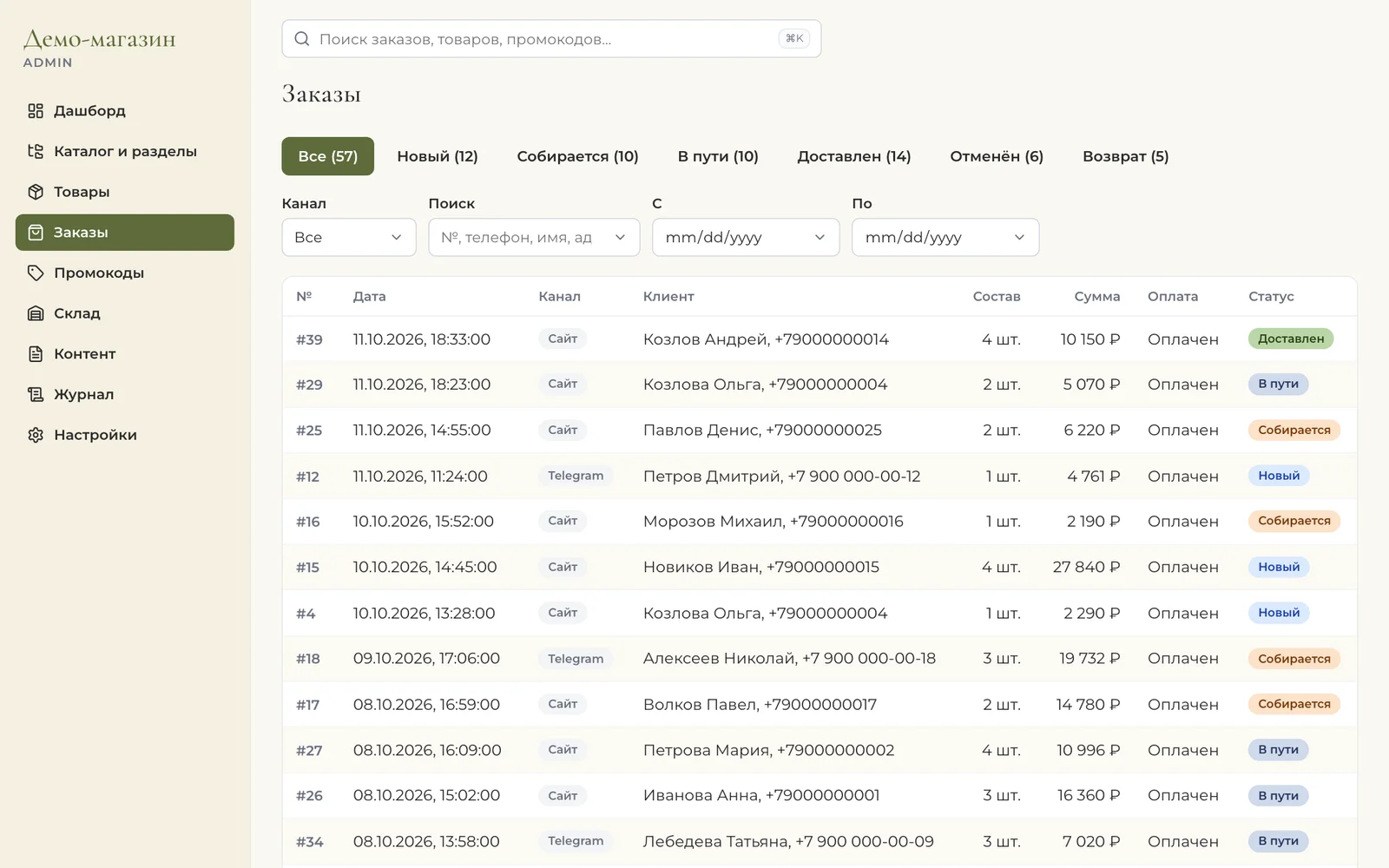
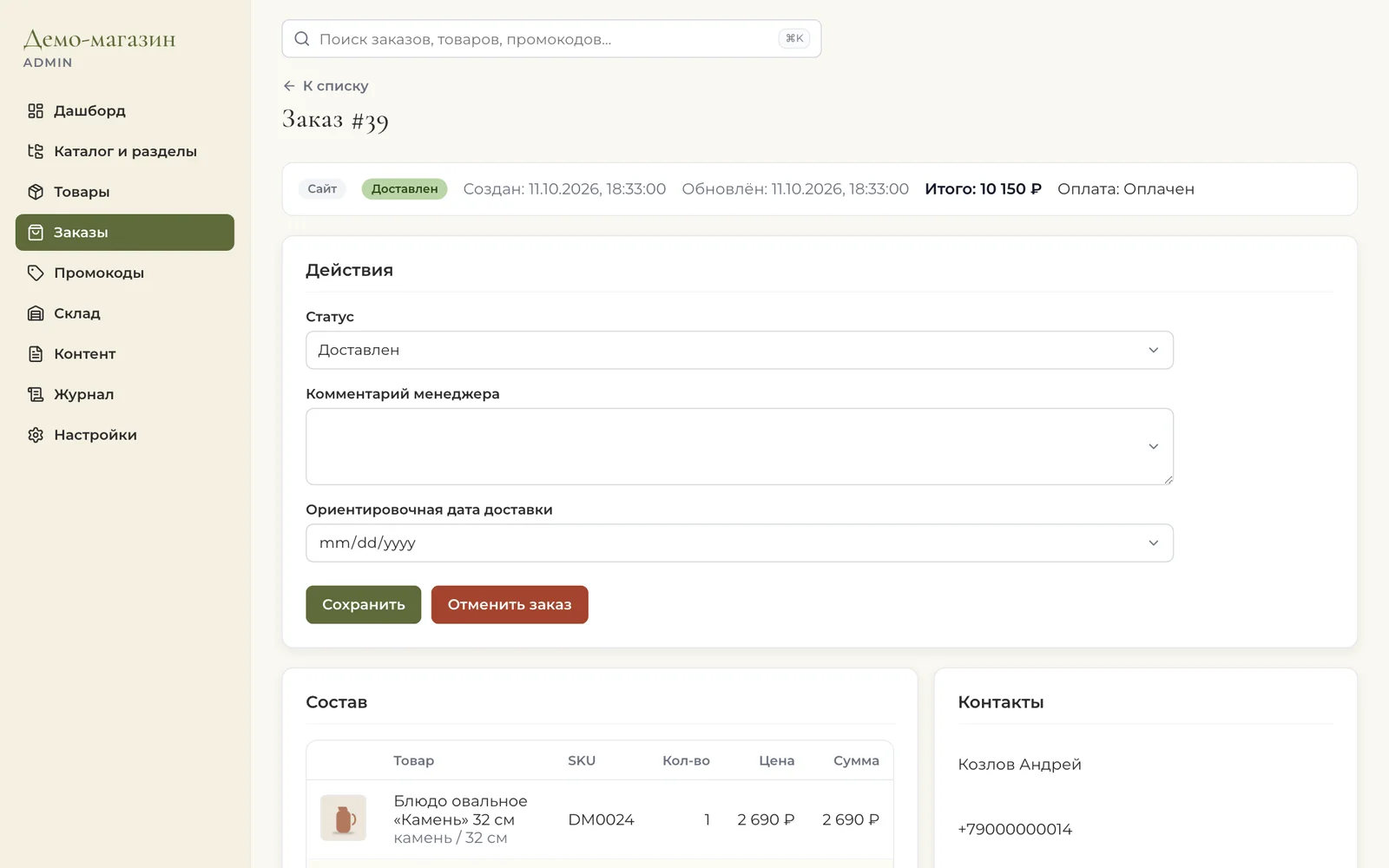
Orders from the website and Telegram land in one list with the channel, items, payment and status. Status and delivery date are changed in the order card. Totals are always recalculated on the server: the system doesn't accept a price from the browser.
Catalogue and stock
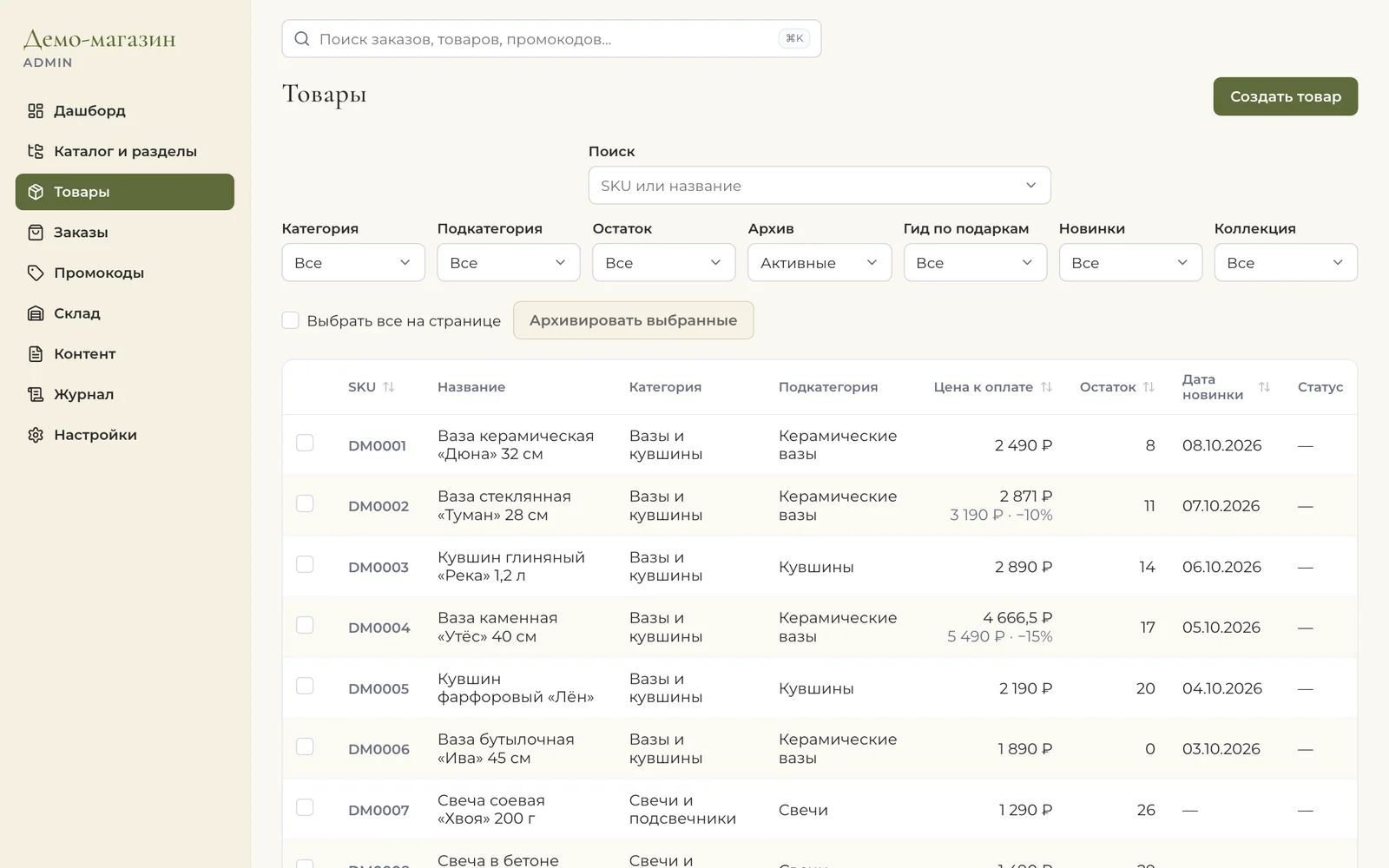
The owner manages products, sections, collections and discounts in the admin panel. The source of truth for stock is the movement log: receipts, sales, write-offs, stocktakes. So any stock level can be explained, and the storefront takes it straight from this system.
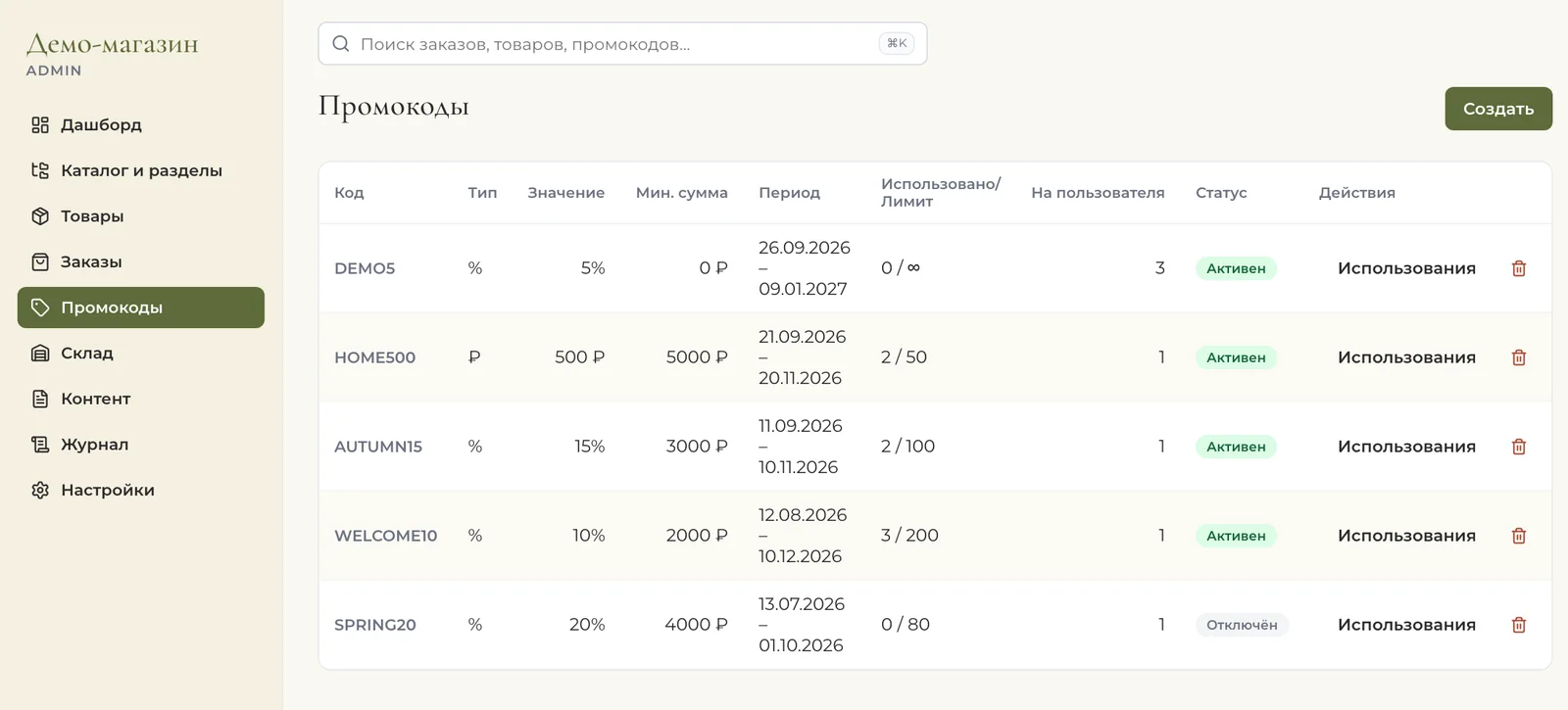
Promo codes, banners and the collections on the website's home page are here too: a promotion can be launched on a Friday evening without waiting for a developer.
Roles and audit log
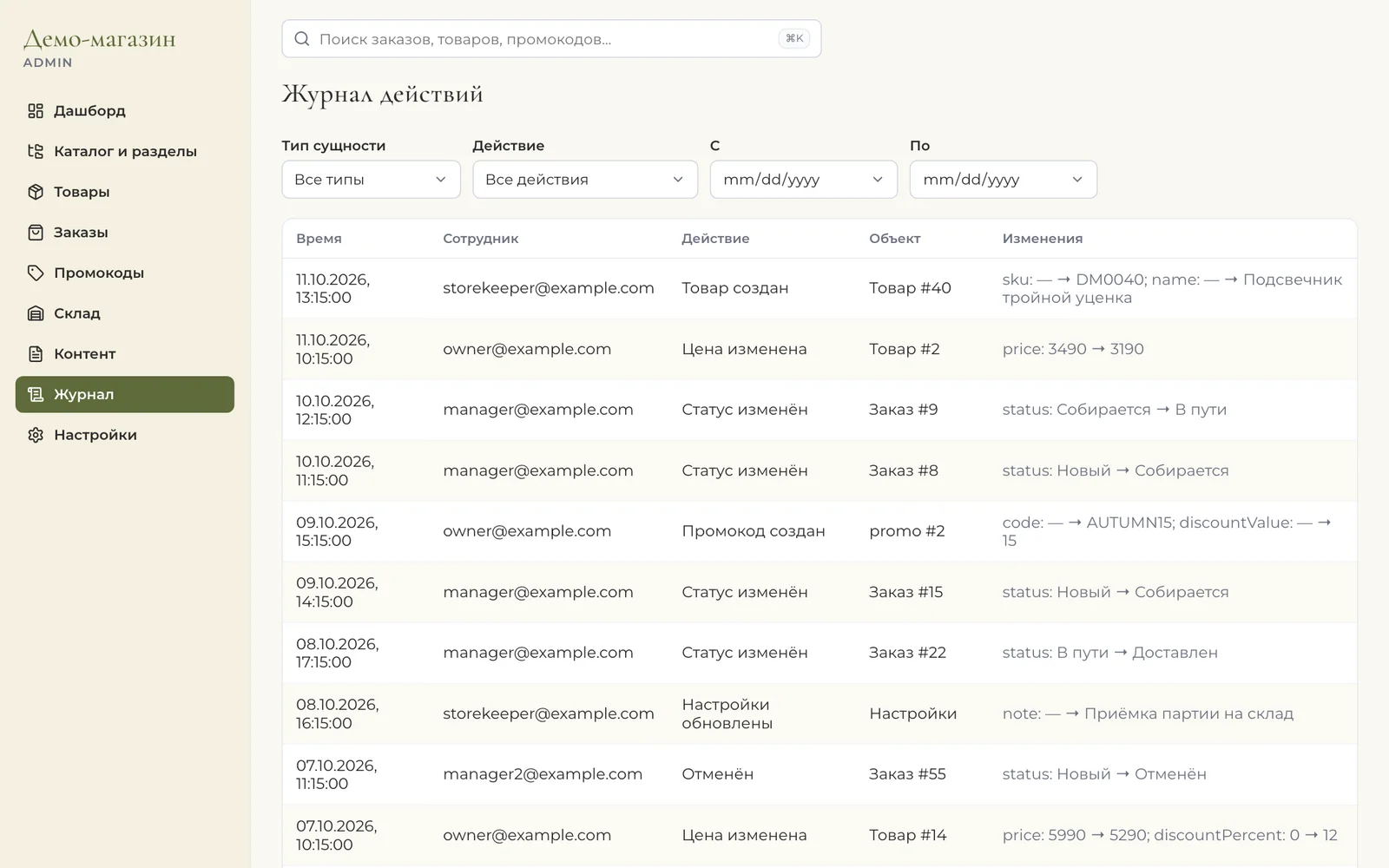
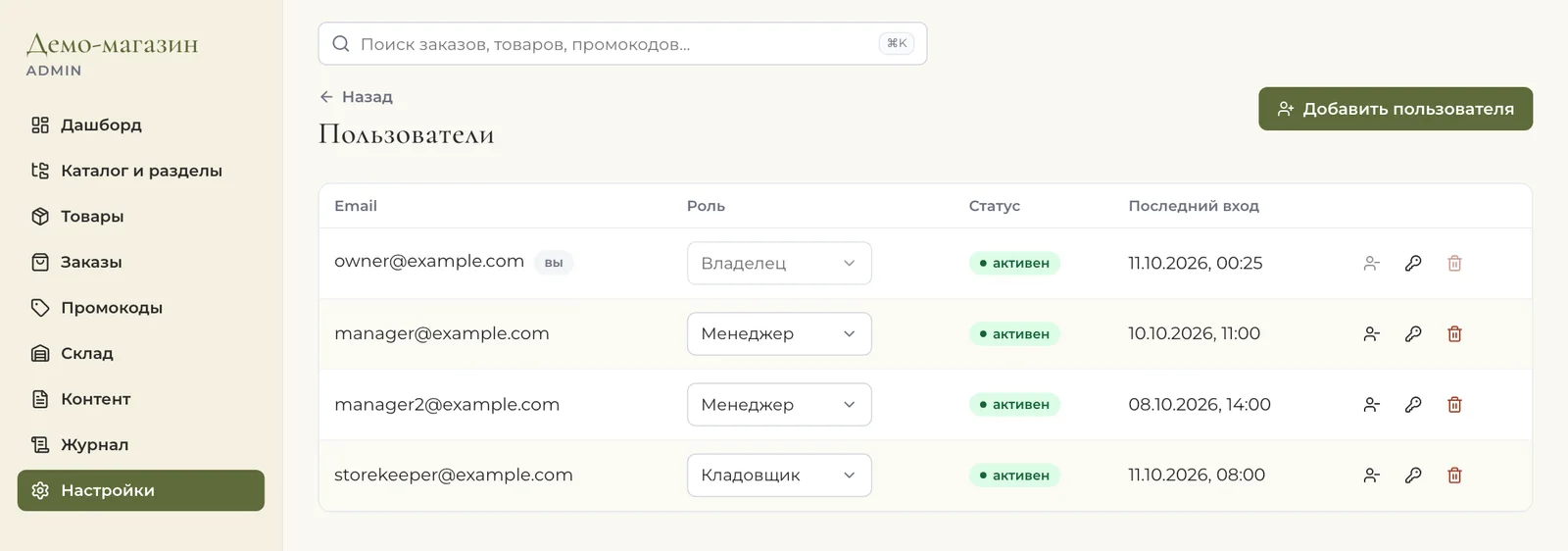
Each role has its own permissions. The warehouse worker manages stock and order picking but doesn't see finances or change the catalogue. The manager works with orders, the catalogue and promotions, while settings, users and the audit log are available only to the owner. Every action is written to the log: who changed what, and when.
A shop inside Telegram
The Mini App runs on the same data as the website. The customer opens the catalogue in the messenger, chooses CDEK delivery or pickup, applies a promo code and pays without leaving Telegram. Made-to-order items can be marked, and the store will notify the customer when they arrive. The manager gets a notification about every order.
How it works
One backend on Express and TypeScript with PostgreSQL serves three clients: the storefront on Next.js, the Telegram Mini App and the admin panel on React. Payments via YooKassa with receipts under 54-FZ, CDEK delivery calculation and pickup points, catalogue and order export to 1C in CommerceML.
The old website was replaced without stopping sales: the new storefront grew alongside and took over sections one at a time. Risky changes go through a test server first and only then reach production. Over the course of the work there have been more than a hundred such releases, and each one has a record of what changed and why.
Your own system or an off-the-shelf platform
Before us the store ran on a boxed CMS, and for a start that's a sensible choice. Bitrix, InSales or Tilda win when there aren't many products, the process is standard and you need to launch in a couple of weeks. In that situation that's what we recommend.
Your own system costs more at the start. It pays off when the store hits the limits of the platform. Here that happened in five places:
Shopify suspended its operations in Russia in March 2022, so we don't consider it for a Russian store.
If you have a couple of hundred products, one sales channel and no warehouse of your own, start with an off-the-shelf platform. You can move to your own system later without stopping sales: we described above how that went here. How to choose between a ready-made CRM and your own, we covered in the article "Bitrix24 or a custom CRM".
Who it's for
Stores that sell through a website and messengers and are tired of reconciling the catalogue, stock and orders by hand.
Tell us where your catalogue, stock and orders live now. We'll show how to bring them into one admin panel and which parts of it you actually need.